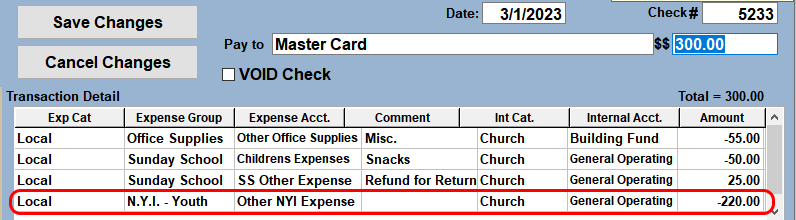
The CREDIT or REWARD will be recorded on a separate line on the payment. For example, the credit card bill has $100.00 in purchases and a $25.00 credit for a Return or Reward. That leaves a total bill of $75.00.
- The total amount of the Payment is $75.00. Type that amount into the Amount box ($$) box.
- Record the $100 of Expenses on one or more Expense lines as you normally would.
- Add an additional Expense line(s) for the credit. Use applicable Expense and Internal accounts. Type the AMOUNT as a NEGATIVE value. ie. -25.00
- Save the Payment. The applicable Accounts will be credited for the Return/Refund/Reward.
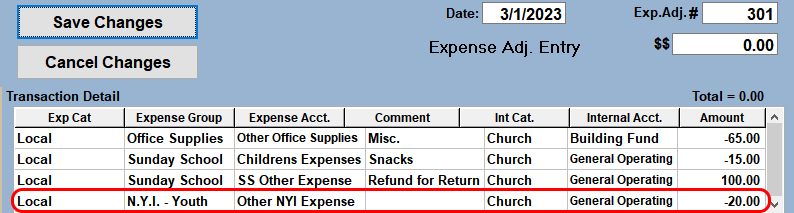
If the credit is for more than the total bill for the month, post an expense adjustment entry instead of a check.
- The amount of the adjustment will be $0.00.
- The transaction detail will look similar to the check in the above example. However, enter the regular expenses as negative amounts. See the illustration below.
- The credit will be listed as a positive amount and will be equal to the total expenses on the statement.
- Any excess credit will be applied to the next months bill. Follow the instructions above in the following month to account for any excess credit that could not be applied in the current month.